IVPN
ivpn.net
Independently Security Audited VPN with anonymous signup, no logs, no cloud or customer data stored, open-source apps and website. Strong ethics: no trackers, no false promises, no surveillance ads. Accepts various payment methods including cryptocurrencies.
- Homepage:ivpn.net
- GitHub:github.com/ivpn/desktop-app
- Privacy:ivpn.net/privacy
- iOS App:apps.apple.com/us/app/ivpn-secure-vpn-for-privacy/id1193122683
- Android App:play.google.com/.../net.ivpn.client
- Web info:web-check.xyz/check/ivpn.net
IVPN Privacy Policy
Privacy Policy Summary
- Users agree not to use the service for illegal purposes
- This service prohibits users from attempting to gain unauthorized access to other computer systems
- There is a date of the last update of the agreements
- This service prohibits users sending chain letters, junk mail, spam or any unsolicited messages.
- This service has a no VPN logs policy
- Users should revisit the terms periodically, although in case of material changes, the service will notify
- Users agree not to submit libelous, harassing or threatening content
- The service allows you to use pseudonyms
- Third-party privacy-focused cookies are used for statistics
- The service provider makes no warranty regarding uninterrupted, timely, secure or error-free service
- Users shall not interfere with another person's enjoyment of the service
- This service assumes no liability for any losses or damages resulting from any matter relating to the service
- Third parties are involved in operating the service
- The service is provided 'as is' and to be used at the users' sole risk
- This service offers an anonymous payment method
- Any liability on behalf of the service is only limited to the fees you paid as a user
- The service can suspend your account for several reasons
- Personal information that is shared outside its jurisdiction is processed according to the original jurisdiction’s data protection standards
- The court of law governing the terms is in Gibraltar
- The apps are open-source
- Users are entitled to a refund if certain thresholds or standards are not met by the service
- The service claims to be GDPR compliant for European users
- You can access most of the pages on the service's website without revealing any personal information
Score
Documents
- Refund PolicyCreated 09 Feb 21, Last modified 1 year ago
- Privacy PolicyCreated 09 Feb 21, Last modified 1 year ago
- Terms of ServiceCreated 09 Feb 21, Last modified 1 year ago
- Legal Process GuidelinesCreated 08 Feb 21, Last modified 1 year ago
About the Data
This data is kindly provided by tosdr.org. Read full report at: #2748
IVPN Source Code
Author

Description
Official IVPN Desktop app
Homepage
https://www.ivpn.net/apps/Repository
- LicenseGPL-3.0
- Created14 May 21
- Primary languageGo
- Size53,495 KB
- Stars538
- Forks67
- Watchers538
Top Contributors
@stenya (2468)
@dependabot[bot] (69)
@jurajhilje (8)
@nschonni (4)
@naltun (2)
@rakleed (2)
@4elta (2)
@ka-iy (1)
@cipheromega (1)
@lysin (1)
Recent Commits
v3.16.1
macOS Split Tunnel: fix changing ST settings while WireGuard is paused Toggling Split Tunnel during a WireGuard pause failed with "failed to get local interface by IP": the pause stops the tunnel process, so the VPN interface the firewall still tracks no longer exists. The daemon then rolled the preferences back, leaving the user unable to disable Split Tunnel until resume. The same error was logged on every pause. applyConnectedRules() now tolerates the missing interface while paused: the rules are reapplied by ClientConnected() when the connection comes back on resume. OpenVPN, whose interface survives a pause, is unaffected.
macOS Split Tunnel: show in the main view when ST is enabled but not active Until now the only hint that the Split Tunnel system extension still needs approval (or is switched off, failed, or waits for a reboot) was the banner on the Settings page. A user could enable Split Tunnel, connect and assume excluded apps bypass the VPN while nothing was running. The extension-state-to-message mapping moves from the Settings page into a uiState getter, and the main view reuses the inverse mode warning slot to show "Split Tunnel is not active", which opens the Split Tunnel settings. One slot, so two Split Tunnel warnings never show at the same time; the issue message takes precedence over the inverse mode text.
Merge pull request #647 from ivpn/dependabot/github_actions/github/codeql-action/upload-sarif-4.38.2 build(deps): bump github/codeql-action/upload-sarif from 4.37.7 to 4.38.2
Merge pull request #646 from ivpn/dependabot/github_actions/ruby/setup-ruby-1.327.0 build(deps): bump ruby/setup-ruby from 1.321.0 to 1.327.0
Merge pull request #645 from ivpn/dependabot/github_actions/github/codeql-action/init-4.38.2 build(deps): bump github/codeql-action/init from 4.37.7 to 4.38.2
Merge pull request #644 from ivpn/dependabot/github_actions/github/codeql-action/analyze-4.38.2 build(deps): bump github/codeql-action/analyze from 4.37.7 to 4.38.2
Merge pull request #643 from ivpn/dependabot/github_actions/github/codeql-action/autobuild-4.38.2 build(deps): bump github/codeql-action/autobuild from 4.37.7 to 4.38.2
Merge pull request #648 from ivpn/feature/macos_splittunnel Feature/macos splittunnel
build(deps): bump github/codeql-action/upload-sarif Bumps [github/codeql-action/upload-sarif](https://github.com/github/codeql-action) from 4.37.7 to 4.38.2. - [Release notes](https://github.com/github/codeql-action/releases) - [Changelog](https://github.com/github/codeql-action/blob/main/CHANGELOG.md) - [Commits](https://github.com/github/codeql-action/compare/ff2f1c621b7f889edc0d3c761ac2e6a3f8cdb0dd...2892aa5e19bbd11bc0cff5427e3b750a04d9e3c2) --- updated-dependencies: - dependency-name: github/codeql-action/upload-sarif dependency-version: 4.38.2 dependency-type: direct:production update-type: version-update:semver-minor ... Signed-off-by: dependabot[bot] <[email protected]>
build(deps): bump ruby/setup-ruby from 1.321.0 to 1.327.0 Bumps [ruby/setup-ruby](https://github.com/ruby/setup-ruby) from 1.321.0 to 1.327.0. - [Release notes](https://github.com/ruby/setup-ruby/releases) - [Changelog](https://github.com/ruby/setup-ruby/blob/master/release.rb) - [Commits](https://github.com/ruby/setup-ruby/compare/95ef2b042f9d7a56d8268cba8559e2842e2ad01b...14594264cd68ce8a2345dd349bc3d138a4ef85c8) --- updated-dependencies: - dependency-name: ruby/setup-ruby dependency-version: 1.327.0 dependency-type: direct:production update-type: version-update:semver-minor ... Signed-off-by: dependabot[bot] <[email protected]>
build(deps): bump github/codeql-action/init from 4.37.7 to 4.38.2 Bumps [github/codeql-action/init](https://github.com/github/codeql-action) from 4.37.7 to 4.38.2. - [Release notes](https://github.com/github/codeql-action/releases) - [Changelog](https://github.com/github/codeql-action/blob/main/CHANGELOG.md) - [Commits](https://github.com/github/codeql-action/compare/ff2f1c621b7f889edc0d3c761ac2e6a3f8cdb0dd...2892aa5e19bbd11bc0cff5427e3b750a04d9e3c2) --- updated-dependencies: - dependency-name: github/codeql-action/init dependency-version: 4.38.2 dependency-type: direct:production update-type: version-update:semver-minor ... Signed-off-by: dependabot[bot] <[email protected]>
build(deps): bump github/codeql-action/analyze from 4.37.7 to 4.38.2 Bumps [github/codeql-action/analyze](https://github.com/github/codeql-action) from 4.37.7 to 4.38.2. - [Release notes](https://github.com/github/codeql-action/releases) - [Changelog](https://github.com/github/codeql-action/blob/main/CHANGELOG.md) - [Commits](https://github.com/github/codeql-action/compare/ff2f1c621b7f889edc0d3c761ac2e6a3f8cdb0dd...2892aa5e19bbd11bc0cff5427e3b750a04d9e3c2) --- updated-dependencies: - dependency-name: github/codeql-action/analyze dependency-version: 4.38.2 dependency-type: direct:production update-type: version-update:semver-minor ... Signed-off-by: dependabot[bot] <[email protected]>
build(deps): bump github/codeql-action/autobuild from 4.37.7 to 4.38.2 Bumps [github/codeql-action/autobuild](https://github.com/github/codeql-action) from 4.37.7 to 4.38.2. - [Release notes](https://github.com/github/codeql-action/releases) - [Changelog](https://github.com/github/codeql-action/blob/main/CHANGELOG.md) - [Commits](https://github.com/github/codeql-action/compare/ff2f1c621b7f889edc0d3c761ac2e6a3f8cdb0dd...2892aa5e19bbd11bc0cff5427e3b750a04d9e3c2) --- updated-dependencies: - dependency-name: github/codeql-action/autobuild dependency-version: 4.38.2 dependency-type: direct:production update-type: version-update:semver-minor ... Signed-off-by: dependabot[bot] <[email protected]>
macOS Split Tunnel: bypass the endpoint the tunnel really uses The bypass rule was built from ConnectedResp's ServerIP/ServerPort. For V2Ray connections those hold the VPN server's host with the V2Ray port, an endpoint that never appears on the wire, so the rule did not match and V2Ray QUIC connections still lost connectivity on macOS 12 and 13. The daemon already announces the physical remote endpoint (the server, or the obfuscation proxy in front of it) with ConnectionStarting before every connection and clears it with ConnectionStopped. The UI now handles both messages, keeps the endpoint in vpnState.remoteEndpoint and requests it on Hello (GetActiveRemoteEndpoint) for a UI started while the VPN is already connected. The Split Tunnel helper builds the bypass rule from that endpoint. If it is missing the session still starts, without the rule and with a warning, since the rule is only needed on macOS 12 and 13 (14/15?).
macOS Split Tunnel: exclude the VPN endpoint from the proxy by rule On macOS 12 the kernel cannot return a declined UDP flow to normal delivery when the socket is a dual-stack IPv6 socket sending to an IPv4 address, the socket type V2Ray's QUIC client uses: the second datagram fails with EINVAL and the tunnel dies. The extension now excludes the VPN's own endpoint by network rule, so those flows are never attached to the proxy. Later macOS versions handle the declined flow correctly; there the rule only saves the per-flow round trip. The session starts only once the connection details carrying the endpoint have arrived. Also: ignore NEVPN status notifications from other connection objects and report extension readiness to the daemon only on change; together they turned one status change into dozens of daemon requests.
CLI: hide Inverse Split Tunnel options on macOS Inverse mode is not implemented on macOS and the daemon rejects it, but the CLI help still listed its four options and described the feature as able to restrict VPN usage to selected apps. Register them only on platforms that support inverse mode, matching the GUI.
macOS Split Tunnel: open Privacy & Security for extension approval on macOS 12-14 Login Items & Extensions exists only from macOS 15; the settings link used it from macOS 13 on, sending users to a pane where nothing could be approved. The approval banner now says the feature is enabled but inactive until approved, and that it starts automatically afterwards.
macOS Split Tunnel: opt-in extension debug logging via st-debug-logging argument `open -a IVPN --args st-debug-logging` makes every session the app starts log at debug level to the extension's unified-log subsystem: one line per new flow on the machine with its executable path, and the destinations of excluded apps. Off by default; the coupling to the app's logging setting is removed.
macOS Split Tunnel: log app-closed flows at debug level, close UDP flow on open failure An excluded browser closes the losers of every connection race and opens many one-shot UDP sockets, so "peer reset" and "not connected" flow errors are routine. Log them at debug level at the four relay sites and keep error level for anything else. A UDP flow whose open fails is now closed, not only unregistered.
macOS Split Tunnel: README.md
macOS: keep only allow-jit in the host app entitlements AMFI refuses to launch a process that carries system-extension.install together with allow-unsigned-executable-memory, disable-library-validation or disable-executable-page-protection ("Hardened Runtime relaxation entitlements disallowed on System Extensions"). Electron needs allow-jit only. Verified on macOS 15.5 (Intel) and 26 (Apple silicon) with SIP on; the development machine had SIP disabled, which masked this.
Move AppInfo into oshelpers/apptypes; build the CLI without cgo protocol/types referenced oshelpers.AppInfo, which pulled the whole platform helper package - on macOS a cgo/AppKit implementation - into every protocol client. The CLI cross-build (no cgo) failed to link, and the native CLI linked AppKit for nothing. The type now lives in a leaf package with no imports; the daemon is unchanged. The CLI is built with CGO_ENABLED=0 on both architectures.
macOS build: require -P and -E together and verify the profile files exist
macOS Split Tunnel: relay flow control, start retry, opt-in debug logging, -O2 - UDP: issue the next receive from the write-to-app completion, as TCP does. - TCP: the connect deadline is a cancellable timer, released once the connection is ready, instead of a block that held every torn-down flow for 30 s. - Addon: retry a failed session start (3 attempts, 2 s apart) and bind the stop-timeout safety net to its command, so an earlier timer cannot start a later command's options. - Extension logs at info by default; debug can be enabled by debugLogging start option. - Build the extension with -O2. - Daemon: compare the Darwin kernel major against 21 (macOS 12), not 12.
macOS Split Tunnel: bound UDP send queues, stop relaying after app close, fix peer and icon leaks - UDP: cap unsent datagrams per peer connection (64); a peer stuck in "waiting" no longer buffers every datagram the app sends, and a peer that never becomes ready is evicted by the idle watchdog. - UDP: remove a peer entry only if it still holds the same connection, so a failed peer's late callback cannot orphan its replacement; cancel failed peers explicitly. - TCP: a write error toward the app tears the flow down instead of pulling the rest of the server's data over the physical interface. - Daemon: compile the icon renderer with ARC; the bitmap was never released.
macOS Split Tunnel: detect the default-route interface on IPv6-only networks The physical-interface auto-detection read only the IPv4 routing table, so on an IPv6-only network it found nothing and fell back to interface-type detection. Scan the IPv6 table when the IPv4 one has no physical default; IPv4 behaviour is unchanged. The table scan is exposed for the tests, which feed it hand-built tables for both families.
macOS Split Tunnel: resolve symlinked apps so Safari can be excluded On recent macOS, some system apps (e.g. Safari) are only symlinks in /Applications, pointing into the system cryptex. Two places assumed a real directory: - App picker (apps_darwin.go): e.IsDir() ignores symlinks, so these apps never showed up as exclusion candidates. Use os.Stat, which follows the link, to confirm the target is a directory. - Extension (STPathMatching): a configured excluded path that is itself a symlink never matched, since the kernel reports a process's executable path already resolved. STPathsWithResolvedSymlinks adds each entry's realpath(3) alongside the literal path, resolved once when the excluded-app list changes. UI: drop the "Safari can't be excluded" limitation (no longer true) and rewrite the limitations section to describe what's still accurate - open connections keep their route until restart, inherited child processes, system-service DNS attribution, raw sockets, and the brief restart interruption.
macOS Split Tunnel: fix extension re-activation after manual removal After the extension was removed with systemextensionsctl, re-activation failed with OSSystemExtensionErrorDomain error 1 and the settings page flashed "Split Tunnel Disabled". Two causes, both ours: - A properties probe submitted just before the activation answered after it with a stale "not installed", so a second activation was submitted while the first was still validating; sysextd treated that as a same-version replacement conflict and failed both. - While the activation waited for the user's approval, every window focus submitted a probe, which the OS used to cancel the activation as superseded; that was reported as an extension error. Addon: track the pending activation request; refuse probes and further activations while it is pending; ignore probe results that arrive meanwhile; treat "superseded" as a non-error. Probes in flight are kept in a set so one that never completes cannot block later probes. Log state changes and request failures. UI: probe on Settings window focus too and on every real config change; do not start or register the proxy configuration until the extension is installed (the "add proxy configurations" prompt appeared while the extension still awaited approval); open Login Items & Extensions rather than Privacy & Security on macOS 13 and later.
macOS Split Tunnel: actionable status only, react to extension changes made in System Settings UI status: - Show a banner only when the user has to act: approval pending, extension switched off, restart needed, activation error, or the session could not start (e.g. proxy configuration not allowed, which was stuck on "starting..."). Drop the progress banners and the kill switch note. Extension state: - Report a distinct "disabled" state from the properties probe and tell the user to enable the extension in System Settings. Probe on every window focus once activation was requested and when the session dies with a config applied, so a change made in System Settings is noticed. - Re-activate the extension when the probe reports it gone after we had activated it (e.g. removed with systemextensionsctl), which brings the approval prompt back instead of silently doing nothing. Prompts: - Register the proxy configuration as soon as the extension is installed, once per enable cycle, so the system's "add proxy configurations" prompt appears while the user is enabling Split Tunnel, not on the first VPN connect.
IVPN Security
IVPN Website
Website
https://www.ivpn.net/en/
Redirects
Redirects to https://www.ivpn.net/en/
Security Checks
1 security checks failed (64 passed)
- Robots Noindex
Server Details
- IP Address198.50.177.216
- Hostnameip216.ip-198-50-177.net
- LocationGibraltar,Gibraltar,Gibraltar,EU
- ISPOVH Hosting Inc.
- ASNAS16276
Categories
Some proxies may block this service, as it falls into the following categories
- VPN Provider
Associated Countries
 US
 GI
 PL
Safety Score
Website marked as moderately safe
90%
Trackers
No known trackers found
Blacklist Check
www.ivpn.net was found on 0 blacklists
- AntiSocial Blacklist
- Artists Against 419
- Badbitcoin
- Bambenek Consulting
- CERT Polska
- CoinBlockerLists
- CRDF
- CryptoScamDB
- EtherAddressLookup
- EtherScamDB
- Fake Website Buster
- MetaMask EthPhishing
- NABP Not Recommended Sites
- OpenPhish
- PetScams
- PhishFeed
- PhishFort
- Phishing.Database
- PhishStats
- PhishTank
- Phishunt
- RPiList Not Serious
- Scam.Directory
- SecureReload Phishing List
- Spam404
- StopGunScams
- Suspicious Hosting IP
- ThreatFox
- ThreatLog
- TweetFeed
- URLhaus
- ViriBack C2 Tracker
Website Preview

IVPN Android App
APK Info
- AppIVPN
- Creation Date30 Jun 20
- Last Updated18 Jul 24
- Current Version1.67
- Privacy ReportView on Exodus →
De-Googled Compatibility
- GrapheneOSNative4.0 / 4(8)
IVPN iOS App
App Info
 IVPN - Secure VPN for Privacy
IVPN is a privacy-first VPN service that offers WireGuard, multi-hop connections and a built-in ad/tracker blocker. What makes our customers trust us: - Regular third-party audits since 2019. - Open-source apps without trackers. - Privacy friendly account creation - no email address required. - Transparent ownership, team. - Clear privacy policy and strong ethical guidelines. What can you expect when using IVPN for iOS: - Fast servers in more than 50 locations. - OpenVPN, IPSec with IKEv2 and WireGuard protocol support. - Improved security for Wi-Fi/LTE/3G/4G. - Use on up to 7 devices (Pro plan). - AntiTracker to block ads, web and app trackers. - Automatic Kill Switch. - Set trusted networks and use custom DNS. - Multi-hop connections for improved privacy. - 24/7 customer service assistance. What we do differently than other VPNs? - No logs and data collection. - No free tier, data mining and selling of browser history. - No third-party tools in app. - No misleading ads. - No false promises (e.g. full anonymous connection). - Privacy guides to help you improve your privacy. - Civilian grade encryption. Why use a VPN on iOS? - Improve your data privacy with a private connection on your iPhone and iPad. - Secure VPN for browsing at WiFi hotspots, airports and hotels. - Hide your connection and protect your private data from your ISP. - Hide your IP to prevent websites snooping on you. IVPN was founded in 2009 with a mission of protecting individual privacy. Our team includes information security experts and privacy advocates who are working towards a surveillance-free future. We believe that everybody has the right to freedom of opinion and expression online without interference. Review our clear, simple privacy policy: https://www.ivpn.net/privacy Terms of Service: https://www.ivpn.net/tos Privacy guides: https://www.ivpn.net/blog/privacy-guides WireGuard® is a registered trademark of Jason A. Donenfeld.
Rating
Version Info
- Current Version2.14.2
- Last Updated11 Jun 26
- First Released01 Feb 17
- Minimum iOS Version15.0
- Device Models Supported130
App Details
- IPA Size60.61 Mb
- PriceFree (USD)
- Age Advisory4+
- Supported Languages1
- DeveloperIVPN Limited
- Bundle IDnet.ivpn.clients.ios
Screenshots
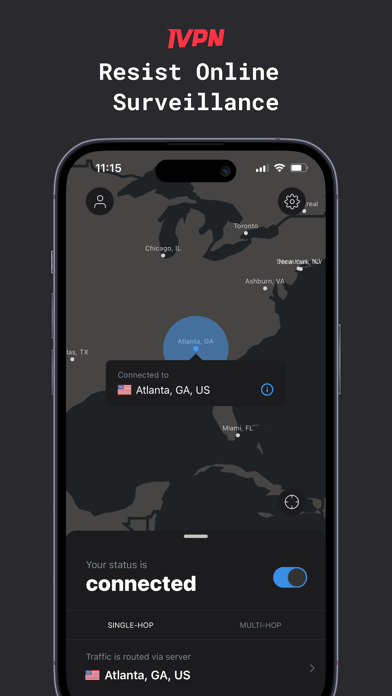
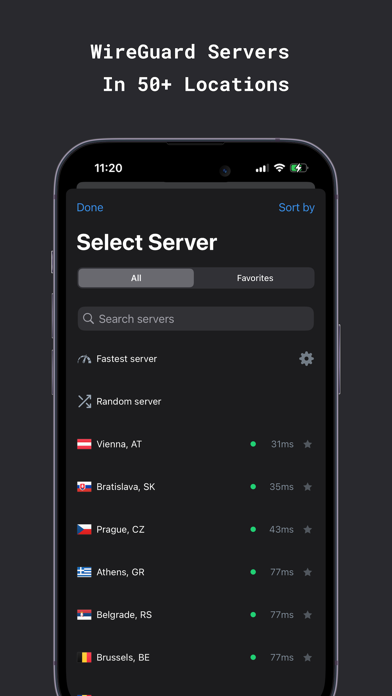
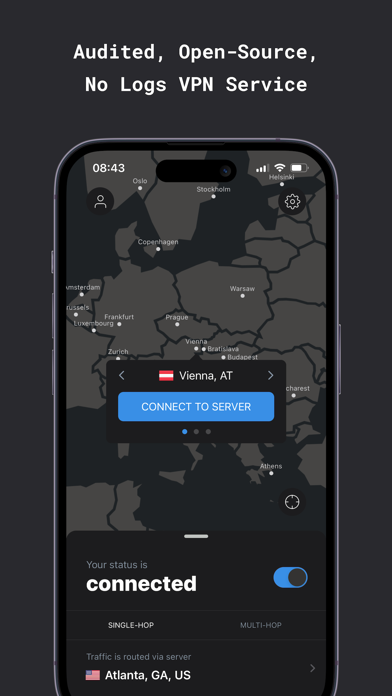
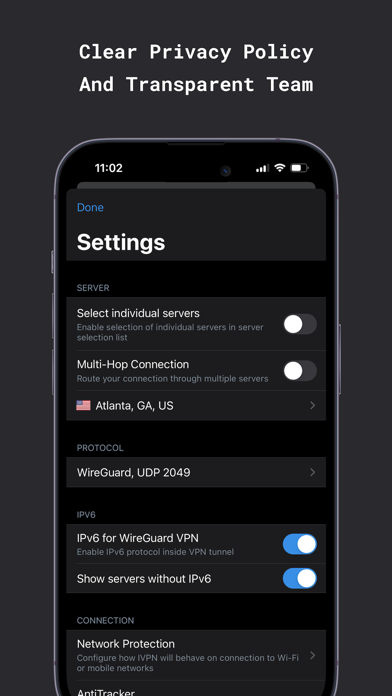
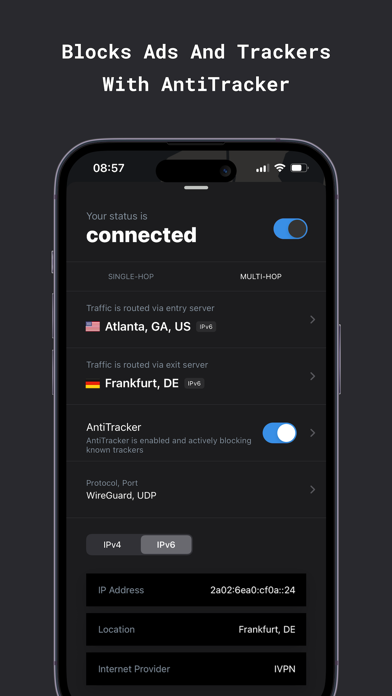
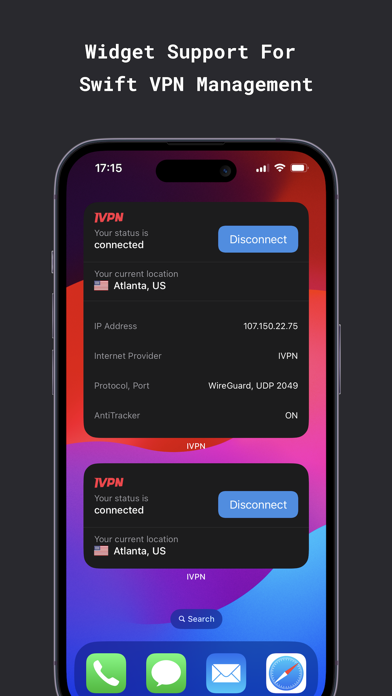
IVPN Reviews
More Virtual Private Networks
Azire is a Swedish VPN provider, who owns their own hardware with physically removed storage and a no logging policy. Pricing starts at €3.25/mo, with crypto (including XMR) supported. Note that they've not yet been audited, and client applications are not open source, for more info, see #140.
Not Open SourceMullvad is one of the best for privacy, they have a totally anonymous sign up process, you don't need to provide any details at all, you can choose to pay anonymously too (with Monero, BTC or cash).
A court-proven VPN service with support for Wireguard and OpenVPN support, and optional ad-blocking. Running on dedicated hardware, with no hard drives.
Crypto-native VPN with pay-as-you-go pricing. Accepts cryptocurrency only, including Monero. WireGuard and AmneziaWG protocols, no-logs policy, REST API for developers. No subscriptions or credit cards.
From the creators of ProtonMail, ProtonVPN has a solid reputation. They have a full suite of user-friendly native mobile and desktop apps. ProtonVPN is one of the few "trustworthy" providers that also offer a free plan.
An audited and court-proven VPN with a free 10GB plan, in-RAM servers, browser extensions and open source WireGuard/IKEv2/OpenVPN clients. Supports split tunneling, customizable DNS blocking, MAC spoofing, decoy traffic and censorship circumvention.





About the Data: IVPN
Change History
- Amended (androidApp, iosApp)
Edit IVPN Data
You can edit IVPN's entry in this section of awesome-privacy.yml by submitting a PR to our GitHub repo.
Note that some of the information shown above has been aggregated from external
sources, a list of these can be found data documentation.
Origin Data
Modify Data
API
You can access IVPN's data programmatically via our API. Simply make a GET request to:
https://api.awesome-privacy.xyz/v1/services/ivpnThe REST API is free, no-auth and CORS-enabled. To learn more, view the API Docs or read the API Usage Guide.
Share IVPN
Help your friends compare Virtual Private Networks, and pick privacy-respecting software and services.
Share IVPN and Awesome Privacy with your network!